
Screen-share from any Salesforce record. Meetings log themselves.
Launch a Swiftlook meeting from a Contact, Account, Opportunity, Case, or Lead. When the meeting ends, a native Event lands on the record with session length, viewer count, watch time, and engagement score — no manual logging.
Easy Install.
Install our Salesforce package and Swiftlook adds a native meeting button to Contact, Account, Opportunity, Case, and Lead records — all five object types at once.
Works with any Salesforce edition. Chrome extension gives your reps another surface if they don't want to wait on admin setup.
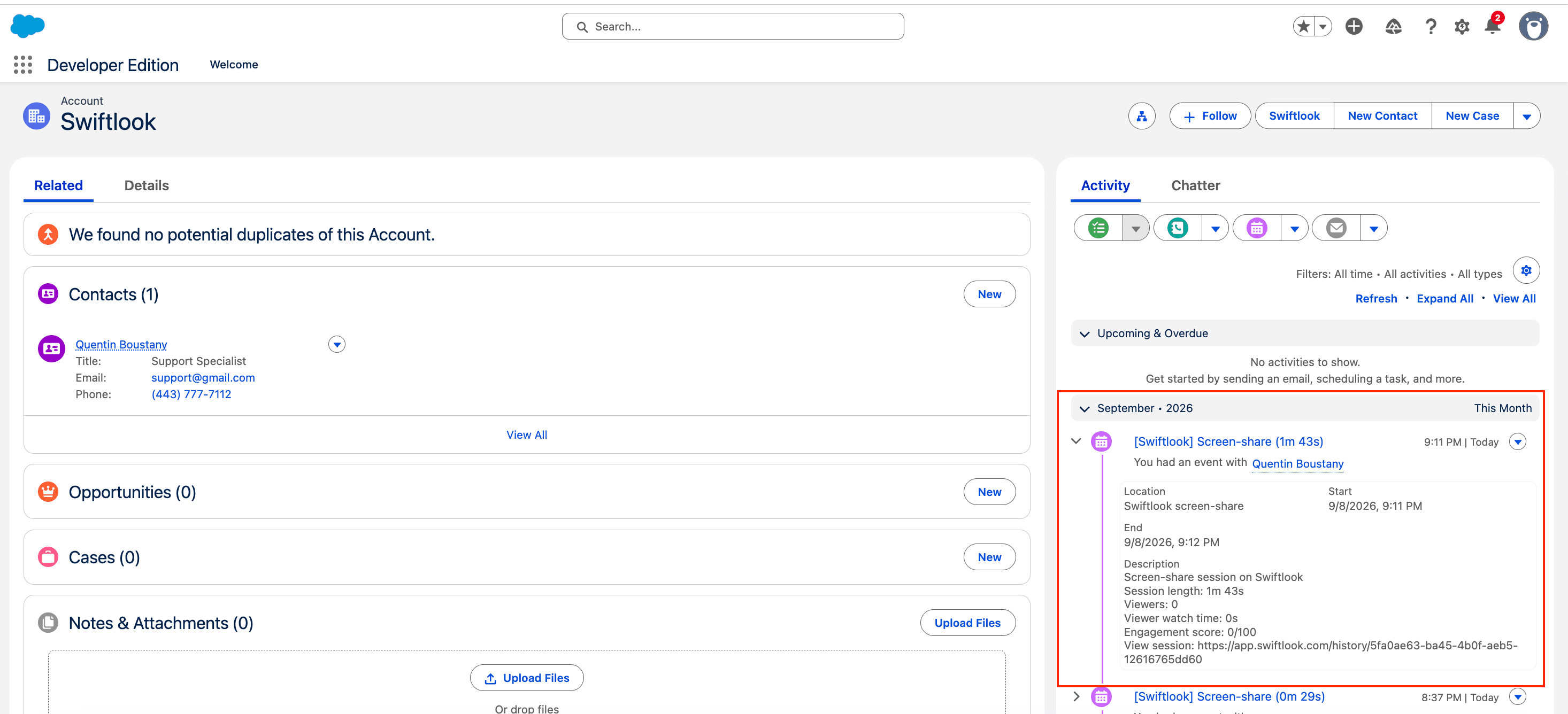
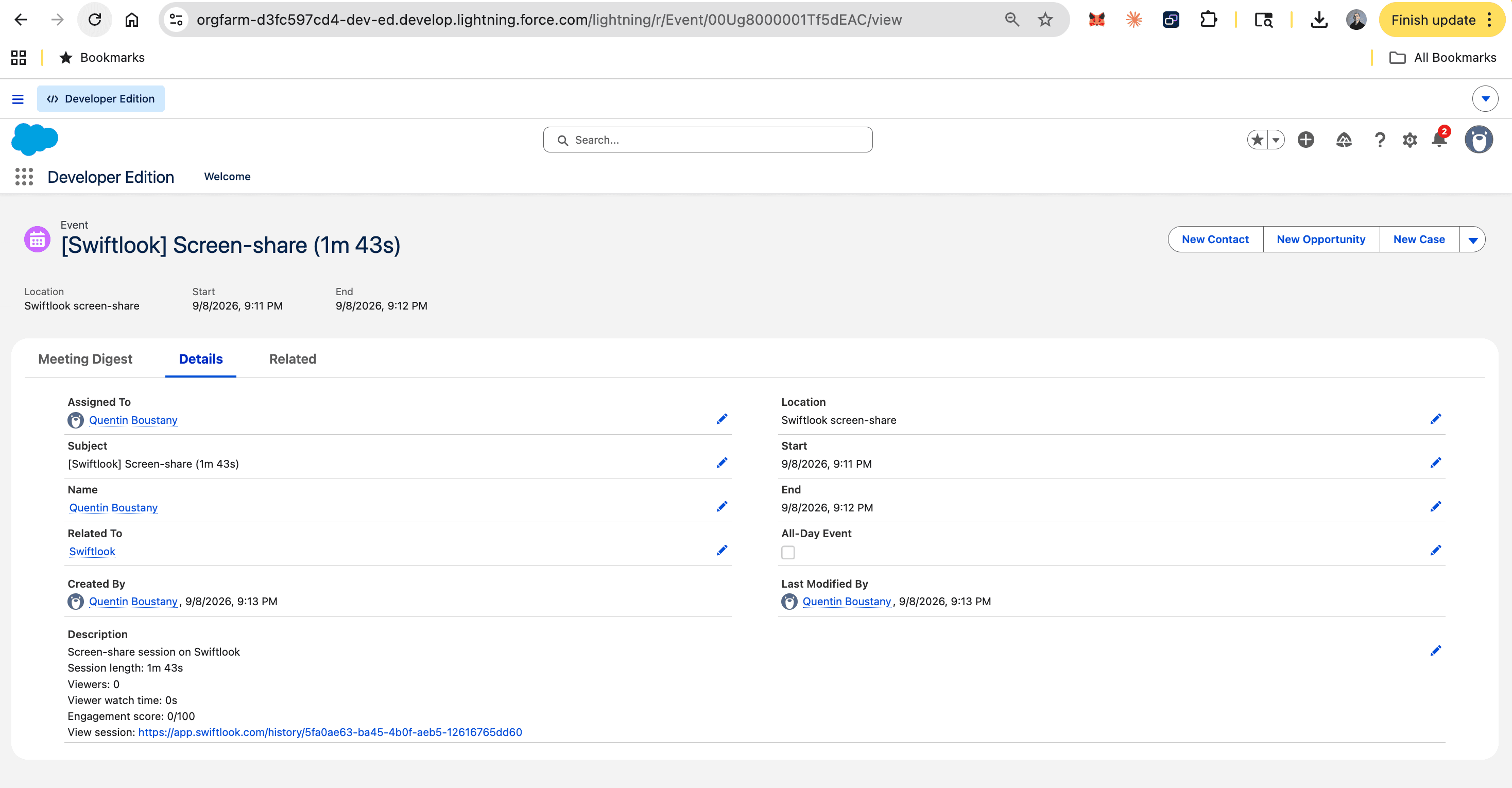
A native Salesforce Event on the record when you're done.
Not a note, not a comment — a real Event, the same object Salesforce uses for logged calls and meetings. Reports, filters, and workflows already know how to handle it.
- Start and end times
- Description: session length, viewer count, watch time, engagement score, link to Swiftlook
- Owner: matched to the presenter’s Salesforce user by email
Not just Contacts.
Launch from any of Salesforce's five sales objects. The Event lands on the record's Activity timeline regardless of where you started.
| Launch from | Event's WhoId (person) | Event's WhatId (record) |
|---|---|---|
| Contact | The contact | — |
| Account | First associated contact | Account |
| Opportunity | Primary OpportunityContactRole | Opportunity |
| Case | The Case’s Contact | Case |
| Lead | The lead | — |
Three steps. Nothing to write.
Three minutes end-to-end.
Connect Salesforce
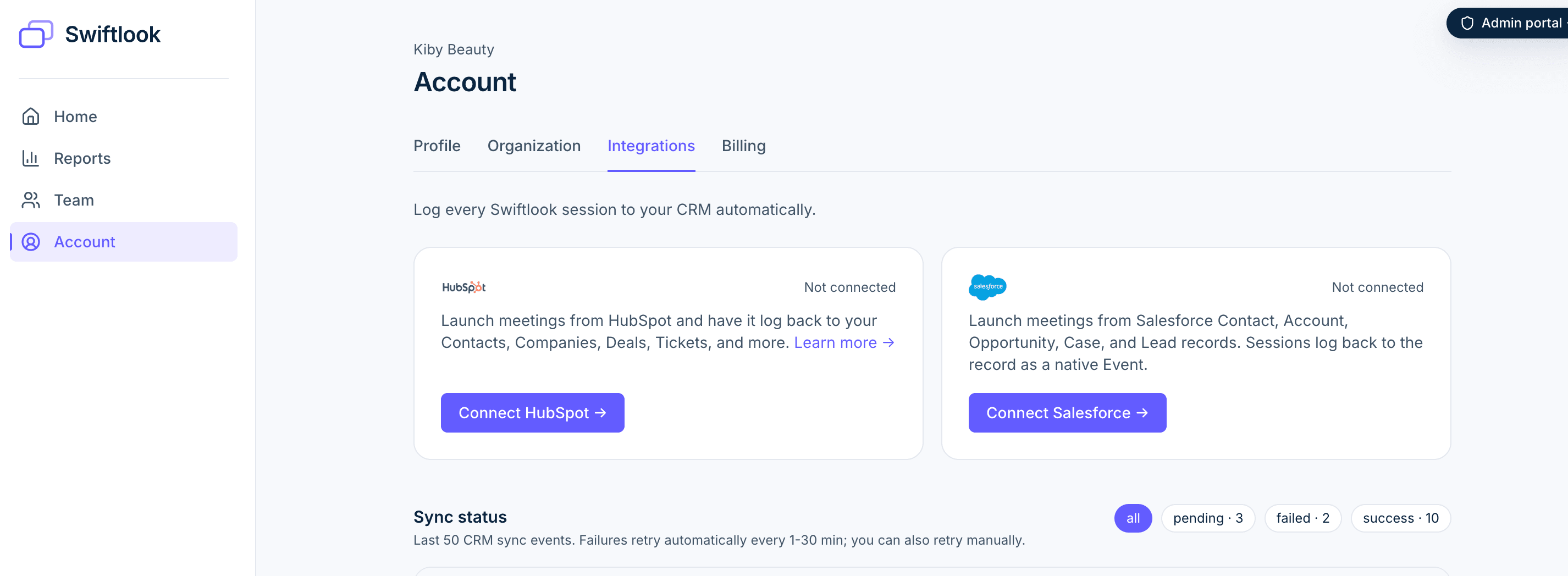
An owner or admin opens Swiftlook → Account → Integrations, clicks Connect Salesforce, approves the standard OAuth screen.
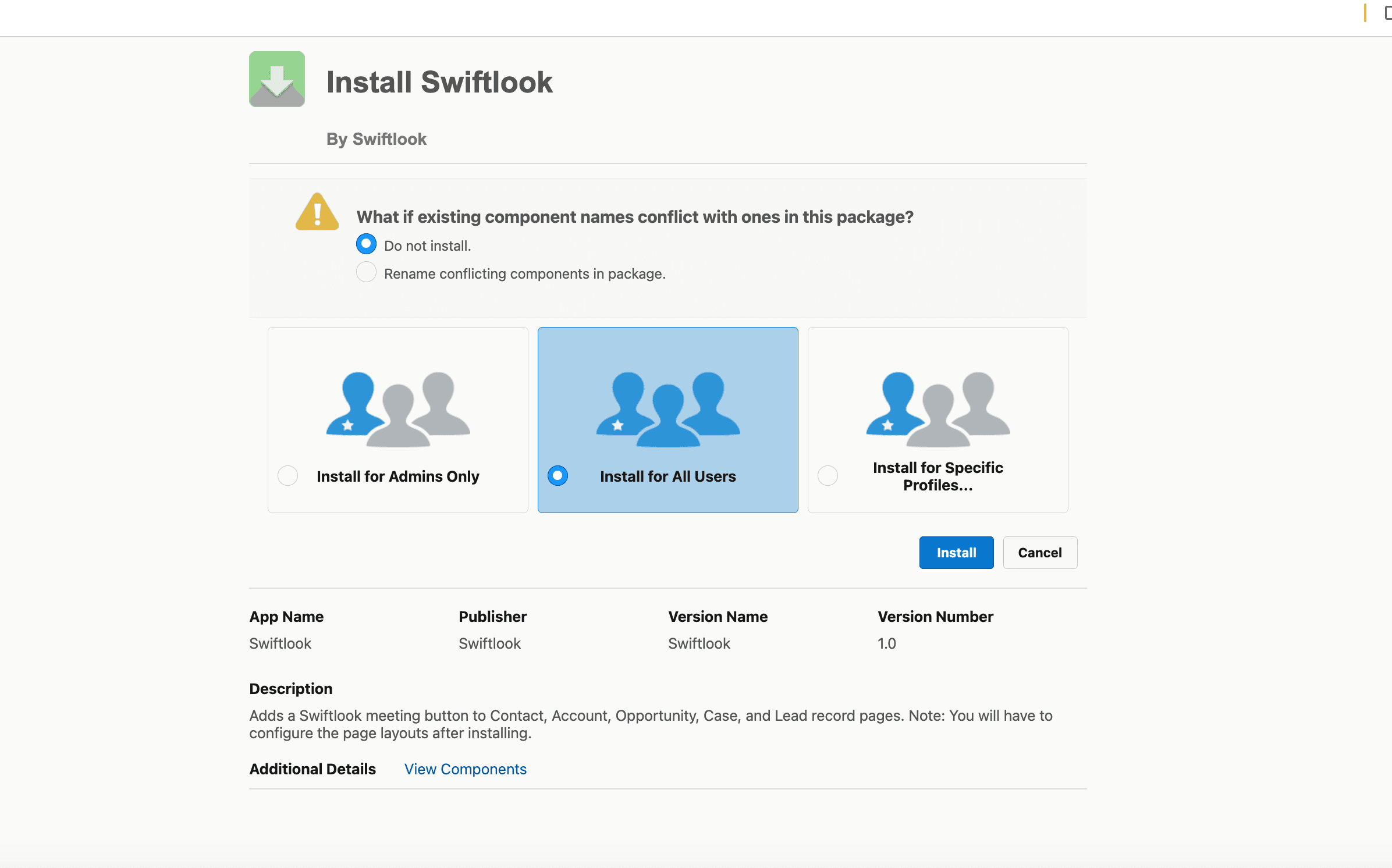
Install the Swiftlook package
A one-click install link appears in Swiftlook right after you connect. Salesforce prompts you to install for all users. 60 seconds and every rep can see the button.
Add the button to each object's page layout
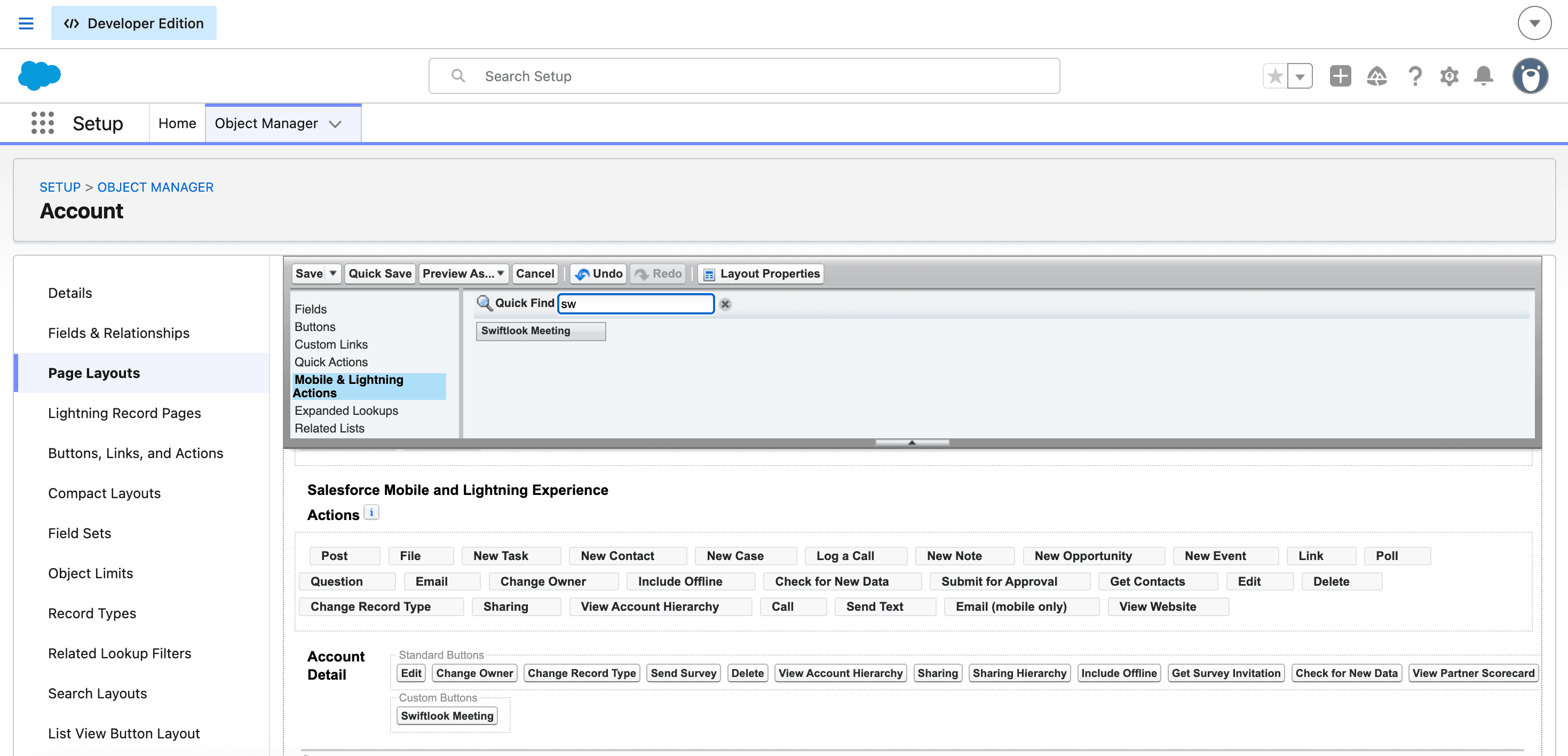
For each object type, drag “Swiftlook Meeting” into the Salesforce Mobile and Lightning Experience Actions section on that object’s page layout. Salesforce keeps this step separate from installs by design — takes about 30 seconds per object.
Chrome extension.
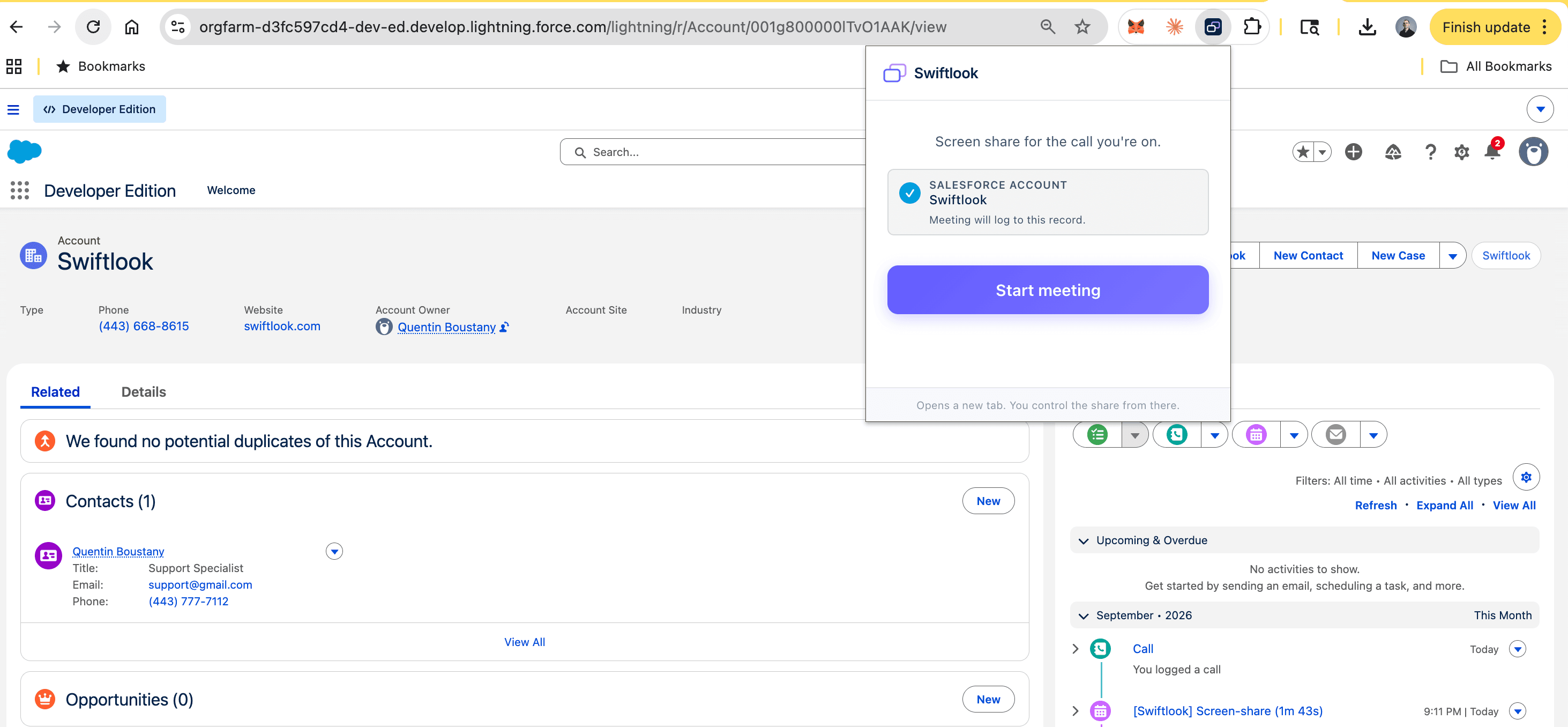
Your reps can install our Chrome extension as well. Injects the same Swiftlook launcher directly onto any Salesforce Lightning record page. Same writeback behavior.

Your next call is in nine minutes.
Sign up now and you'll have a working share on your next demo.